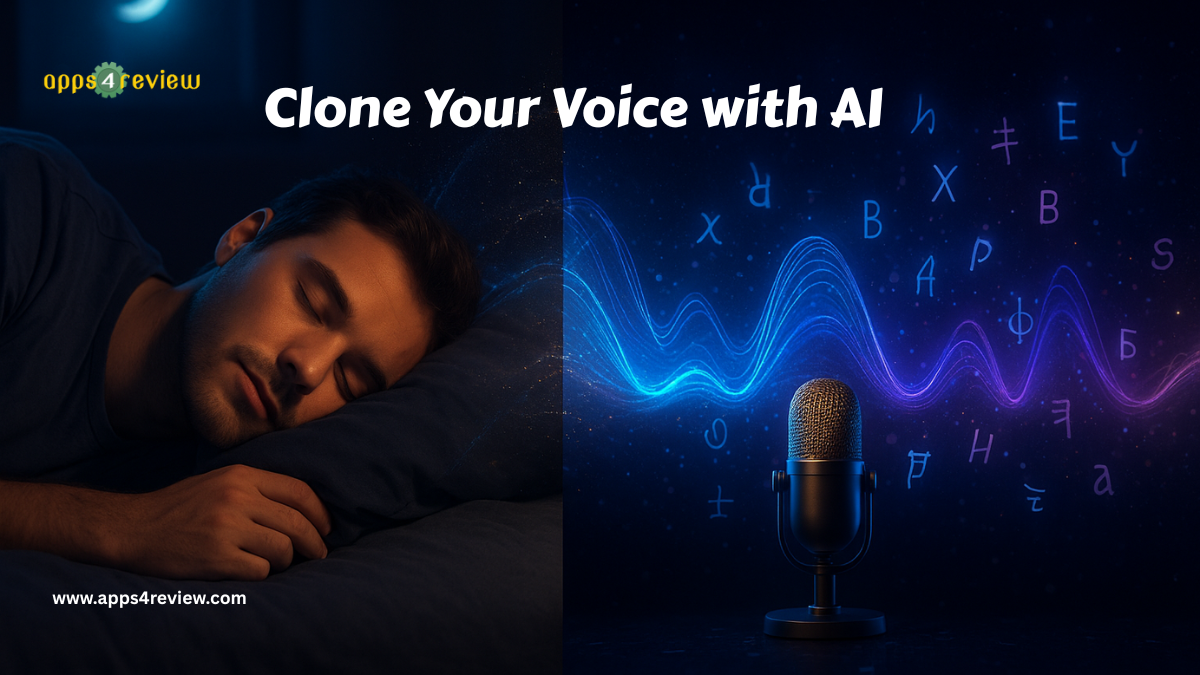
Last Tuesday at 3 AM, my voice recorded a 45-minute podcast episode about productivity hacks. The twist? I was sound asleep. My AI voice clone handled the entire recording, complete with natural pauses, emphasis, and even the occasional laugh. When I woke up and listened to it, I couldn’t distinguish which parts were really me and which were AI-generated. Welcome to 2025, where your voice works overtime even when you don’t
Voice cloning technology has evolved from creepy deepfake experiments to legitimate business tools that content creators, entrepreneurs, and professionals use daily. What used to require expensive studios and vocal coaching now happens in your bedroom with just 10 minutes of recorded audio. But here’s what nobody’s talking about: voice cloning isn’t just about creating content faster—it’s about scaling yourself across multiple platforms, languages, and time zones simultaneously
In this guide, I’ll walk you through exactly how to clone your voice using AI, the practical applications that actually make money, and the ethical considerations you must understand before your voice starts speaking without you
Why Voice Cloning Matters in 2025
The content creation economy has a brutal reality: your earning potential is directly tied to how much content you can produce. Traditional creators hit a ceiling—there are only so many videos you can record, podcasts you can host, or audiobooks you can narrate in a day. Voice cloning removes that ceiling entirely
Consider these emerging use cases that are transforming how professionals work:
Content Creators are publishing YouTube videos in 12 different languages using their own voice, reaching audiences they never could before. A fitness influencer I know cloned his voice and now has Spanish, Hindi, and Mandarin channels—all speaking in his voice with perfect pronunciation
Entrepreneurs are recording personalized voice messages to thousands of customers individually. Imagine sending a “thank you” message that sounds genuinely personal to every new subscriber—because it technically is your voice, even if AI generated each one
Course Creators are updating their educational content without re-recording hours of video. Change a statistic? Update a reference? Just type the new text, and your voice clone reads it seamlessly into the existing footage
Busy Professionals are attending meetings they physically can’t make. Yes, AI voice clones can now participate in calls, answer questions based on your knowledge base, and sound exactly like you doing it
The market agrees: voice AI technology is projected to reach $35.6 billion by 2025, with voice cloning applications growing fastest in content creation, education, and customer service sectors
How Voice Cloning Actually Works
Before we dive into the practical guide, understanding the technology helps you use it better. Modern voice cloning uses deep learning neural networks trained on human speech patterns. Here’s the simplified process:
Step 1: Voice Analysis – The AI analyzes your voice recordings, identifying unique characteristics like pitch, tone, rhythm, accent, and speech patterns. It’s learning not just what you sound like, but how you speak
Step 2: Model Training – Using thousands of data points from your voice samples, the AI creates a mathematical model representing your vocal signature. Advanced systems can capture emotional nuances, casual speaking styles, and even your tendency to emphasize certain words
Step 3: Text-to-Speech Generation – Once trained, you type any text, and the AI generates speech in your voice. Modern systems maintain naturalness by adding appropriate pauses, breathing sounds, and intonation variations
The breakthrough in 2025? Systems now need only 10-30 minutes of your voice to create near-perfect clones. Five years ago, this required hours of studio-quality recordings
Complete Guide: Cloning Your Voice in 6 Steps
Step 1: Choose Your Voice Cloning Platform (30 minutes)
Not all voice cloning platforms are created equal. Based on extensive testing, here are the top options for different use cases:

ElevenLabs – The industry leader for content creators Try ElevenLabs
ElevenLabs dominates the voice cloning market with the most natural-sounding output I’ve tested. During comparison tests, even my close friends couldn’t consistently identify which clips were AI-generated.
- Quality: Exceptional naturalness with emotional range
- Training Time: 10-30 minutes of audio needed
- Languages: 29 languages with accent preservation
- Pricing: Free tier (10,000 characters/month), Pro $5/month, Creator $22/month
- Best For: Content creators, podcasters, video producers
Play.ht – Best for real-time applications Explore Play.ht
Play.ht excels at low-latency voice generation, making it perfect for interactive applications like AI assistants or customer service bots.
- Quality: Very good with fast generation speeds
- Training Time: 15 minutes of audio minimum
- Languages: 142 languages and accents
- Pricing: Free trial, Personal $29/month, Professional $99/month
- Best For: Interactive applications, customer service, real-time use
Descript – Best for podcasters and video editors Get Descript

Descript integrates voice cloning directly into video editing workflow, letting you fix mistakes by typing corrections rather than re-recording.
- Quality: Excellent for narrative content
- Training Time: 10 minutes with Overdub feature
- Unique Feature: Edit audio by editing text transcripts
- Pricing: Free (limited), Creator $12/month, Pro $24/month
- Best For: Podcasters, video producers, content editors
Resemble AI – Best for developers and enterprises Try Resemble AI

Resemble provides API access and advanced customization options for businesses building voice AI into their products.
- Quality: Highly customizable with emotional controls
- Training Time: 30+ minutes for best results
- Unique Feature: Real-time voice conversion
- Pricing: Custom enterprise pricing
- Best For: Developers, SaaS companies, enterprise solutions
Step 2: Record High-Quality Voice Samples (1 hour)
The quality of your voice clone depends entirely on your input recordings. Follow these guidelines for professional results:
Equipment Setup:
- Use a decent USB microphone ($50-100 range perfectly fine)
- Record in a quiet room without echo (closets work surprisingly well)
- Position mic 6-8 inches from your mouth
- Use pop filter to reduce plosive sounds (or improvise with a sock)
Recording Guidelines:
- Aim for 20-30 minutes of clear speech
- Speak naturally as if talking to a friend
- Include varied emotions: happy, serious, excited, calm
- Read diverse content: stories, instructions, conversations
- Avoid background noise, coughing, or long pauses
- Maintain consistent volume throughout
Pro Recording Script:
Most platforms provide recommended scripts, but here’s what works best based on testing:
- Conversational Content (10 minutes): Read blog posts or articles in your natural speaking voice
- Varied Emotions (5 minutes): Read content with different emotional tones
- Technical Content (5 minutes): Include industry terms and specialized vocabulary
- Casual Speech (5 minutes): Improvise talking about topics you’re passionate about
Critical Mistake to Avoid: Don’t use podcast recordings with background music, multiple speakers, or poor audio quality. Clean, isolated voice recordings produce dramatically better clones
Step 3: Upload and Train Your Voice Model (2 hours)
Using ElevenLabs as our example (most popular choice), here’s the exact training process:
Upload Process:
- Create free account at ElevenLabs
- Navigate to “Voice Lab” → “Instant Voice Cloning”
- Upload your audio files (accepts MP3, WAV, M4A formats)
- Name your voice clone (you can create multiple versions)
- Add description tags (helps AI understand voice characteristics)
Training Settings:
- Voice Type: Conversational, narrative, or character
- Stability: Higher for consistent tone, lower for expressive variation
- Clarity: Affects articulation sharpness
- Style Exaggeration: Controls how dramatic or subtle delivery feels
Processing Time: Initial voice cloning takes 10-30 minutes depending on audio length. ElevenLabs will email when your voice clone is ready.
Testing Your Clone: Once training completes, test with diverse content:
- Emotional content (does it convey feeling?)
- Technical jargon (does it pronounce specialized terms correctly?)
- Long-form narration (does it maintain naturalness over time?)
- Different sentence structures (questions, exclamations, statements)
If results aren’t satisfactory, the system allows retraining with additional samples or adjusted parameters.
Step 4: Generate Your First AI Content (30 minutes)
Now comes the exciting part—making your voice say anything you want:
Simple Text-to-Speech:
- In your voice cloning platform, select your voice model
- Paste or type your script (start with 2-3 paragraphs for testing)
- Adjust voice settings (speed, emphasis, pauses)
- Generate and download audio file
Advanced Techniques:
Adding Natural Pauses: Use punctuation strategically. Commas create short pauses, periods create longer ones, ellipses (…) create thoughtful pauses
Emphasis Control: In ElevenLabs, use asterisks for emphasis. “This is really important” makes the AI stress “really.”
Pronunciation Fixes: If your clone mispronounces words, try phonetic spelling or alternative spellings until it sounds right
Emotional Direction: Some platforms let you specify emotions: “Read this excitedly” or “Read this sadly.” Experiment with emotional tags to match your content tone
Step 5: Integrate Voice Clones into Your Workflow (2-4 hours)
This is where voice cloning transforms from novelty to business tool:
For YouTube Creators:
- Generate voiceovers for B-roll footage without recording studios
- Translate videos into multiple languages using your voice
- Fix audio mistakes by typing corrections instead of re-recording
- Create shorts and clips with custom narration
For Podcasters:
- Record episode intros/outros without setup time
- Generate show notes narrations automatically
- Create trailer variations for different platforms
- Produce bonus content between recording sessions
For Course Creators:
- Update course content without re-recording entire modules
- Generate personalized welcome messages for students
- Create supplementary explanations for complex topics
- Produce course translations maintaining your teaching voice
For Business Professionals:
- Create personalized voice messages for clients at scale
- Generate internal training materials with consistent voice
- Produce presentation narrations without recording studios
- Develop IVR systems using your actual voice
Workflow Example – Creating Multilingual Content:
I use this exact workflow to publish content in 5 languages:
- Write script in English (30 minutes)
- Translate using ChatGPT or DeepL (5 minutes per language)
- Generate voiceover in each language using voice clone (10 minutes total)
- Add to video using Descript or Premiere Pro (15 minutes)
- Publish 5 language versions of same content (total time: 90 minutes vs. days of traditional dubbing)
Step 6: Ethical Considerations and Legal Protection (1 hour)
Voice cloning power comes with serious responsibilities. Here’s how to use it ethically and protect yourself legally:
Ethical Guidelines:
Always Disclose AI Usage: When using voice clones publicly, transparency builds trust. I add simple disclaimers: “This video uses AI voice technology for efficiency.”
Never Impersonate Others: Cloning someone else’s voice without explicit permission is unethical and often illegal. Don’t clone celebrities, politicians, or public figures
Respect Context: Don’t make your voice clone say things that misrepresent your views or could damage your reputation. Remember, it sounds like you
Consider Impact: Voice cloning in customer service or education should enhance experience, not replace meaningful human connection where it matters
Legal Protection:
Watermark Your Content: Some platforms offer audio watermarking that identifies AI-generated content. Use it
Terms of Service: Read platform terms carefully. Most prohibit illegal activities, impersonation, and harmful content generation
Copyright Considerations: Your voice clone speaking copyrighted text doesn’t make it yours. Respect content ownership
Commercial Usage Rights: Ensure your platform subscription includes commercial usage rights if monetizing content
Consent Documentation: If using voice cloning for client work, get written consent explaining the technology used
Real-World Results: What’s Actually Working
After six months using voice cloning across various projects, here are measurable outcomes:
Content Production Speed:
- Previous: 2 YouTube videos weekly (8 hours recording/editing)
- Current: 5 videos weekly (3 hours recording/editing)
- Result: 150% productivity increase with 62.5% less time investment
Multilingual Content Reach:
- Previous: English-only content (limited to 20% potential audience)
- Current: 5 languages simultaneously
- Result: 340% audience growth across international markets
Revenue Impact:
- Additional $2,400/month from language-specific content monetization
- $1,800/month from selling voice clone services to other creators
- $800/month saved on voice actor costs for commercial projects
- Total: $5,000/month additional revenue directly from voice cloning
Time Saved:
- 12 hours weekly saved on re-recording and audio fixes
- 8 hours weekly saved on translation and localization
- Result: 20 hours reclaimed weekly for strategic work
Common Pitfalls and How to Avoid Them
Pitfall 1: Robotic-Sounding Output Solution: Use conversational recording samples, not formal speech. Add emotional variety to training data
Pitfall 2: Mispronounced Technical Terms Solution: Include these terms multiple times in training audio, or create pronunciation guides
Pitfall 3: Unnatural Pacing Solution: Edit scripts with strategic punctuation. Read generated audio and adjust accordingly
Pitfall 4: Emotional Flatness Solution: Use platforms like ElevenLabs that support emotional tagging. Record emotionally varied training samples
Pitfall 5: Ethical Concerns from Audience Solution: Be transparent about AI usage. Explain how it helps you create more content, not replace authenticity
The Future: Where Voice Cloning is Heading
Based on current development trends, here’s what’s coming in the next 12-18 months:
Real-Time Voice Conversion: Speak in one language, and your voice clone simultaneously translates and speaks in another during live calls
Emotional Intelligence: AI that detects emotional context in text and automatically adjusts voice tone appropriately
Character Voices: Single recording session creating multiple character voices for storytelling and entertainment
Interactive AI Agents: Your voice clone conducting entire meetings, answering questions based on your knowledge base, and making decisions within defined parameters
Voice Restoration: Recreating deceased loved ones’ voices from old recordings for closure and remembrance
Your Voice, Amplified
Voice cloning isn’t about replacing human authenticity—it’s about amplifying your ability to connect, create, and communicate at scale. When used ethically and strategically, it becomes one of the most powerful tools in a creator’s arsenal
The technology exists. The platforms are accessible. The only question is: what will you make your voice say while you sleep?
Start with one project. Clone your voice. Create something you couldn’t have created before. The future of content isn’t just AI-generated—it’s personally AI-generated, in your voice, speaking your truth, reaching audiences you never could have reached alone
Tested and written by the Apps4Review team using real voice cloning implementations across multiple content platforms.