Why Expense Tracking Is Critical for Self-Employed Professionals
Freelancers, consultants, creators, agency owners, and independent contractors all face one common challenge: managing business expenses without an accounting department.
In 2026, financial compliance, GST filing, digital payments, and tax reporting have become more structured. Without proper tracking, self-employed professionals risk:
- Missing tax deductions
- Overpaying taxes
- Cash flow mismanagement
- Financial reporting errors
- Audit stress
This is why using expense tracking apps for self-employed professionals is no longer optional — it’s a business necessity
What Makes a Great Expense Tracking App?
Before choosing a tool, look for:
- 📸 Receipt scanning with OCR
- 🧾 Automatic expense categorization
- 📊 Real-time reports
- 💳 Bank & credit card syncing
- 🧮 GST / tax calculation support
- 📁 Export to accountant-friendly formats
- ☁️ Cloud backup & mobile access
Let’s explore the best options available in 2026.
1. QuickBooks Self-Employed – Best for Tax Optimization
Best For: Freelancers who want automated tax tracking
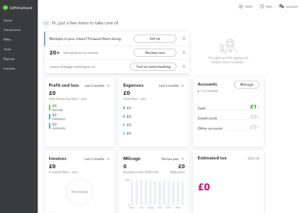
QuickBooks Self-Employed is built specifically for independent professionals. It separates personal and business expenses automatically.
Key Features:
- Automatic mileage tracking
- Tax estimate calculations
- Quarterly tax reminders
- Schedule C reporting
Pricing:
Monthly subscription (mid-range pricing)
Ideal For: Freelancers in consulting, marketing, design, and coaching.
2. FreshBooks – Best for Invoicing + Expense Tracking Combo
Best For: Service professionals who invoice clients
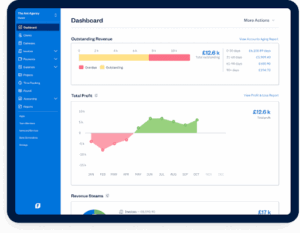
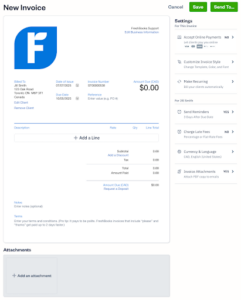
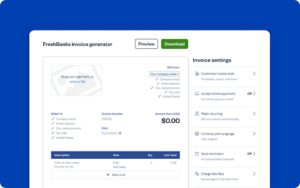
FreshBooks combines accounting, invoicing, and expense management in one system.
Key Features:
- Expense auto-import
- Invoice-to-expense linking
- Time tracking
- Financial reporting
Ideal For: Agencies, consultants, and service providers
3. Expensify – Best for Receipt Automation
Best For: Professionals with frequent travel or variable expenses
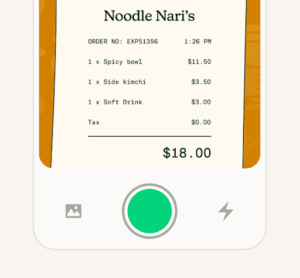
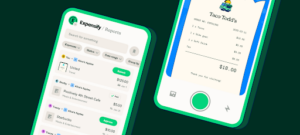
Expensify’s SmartScan technology extracts details from receipts automatically.
Key Features:
- OCR receipt capture
- Automatic categorization
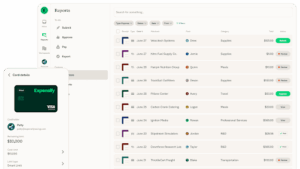
- Reimbursement tracking
- Credit card syncing
Ideal For: Consultants, sales professionals, and traveling entrepreneurs.
4. Wave Accounting – Best Free Option
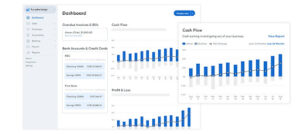
Best For: Budget-conscious self-employed professionals
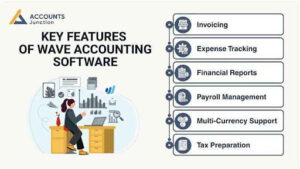
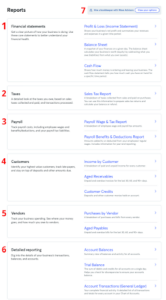
Wave offers free accounting and expense tracking tools with essential reporting features.
Key Features:
- Free accounting
- Expense tracking
- Basic financial statements
- Receipt uploads
Ideal For: New freelancers and side hustlers
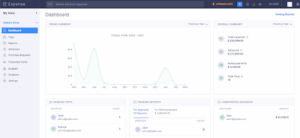
5. Zoho Expense – Best for Automation & Integrations
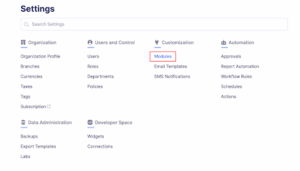
Best For: Professionals already using Zoho ecosystem
Zoho Expense integrates smoothly with Zoho Books and CRM systems.
Key Features:
- Automated expense reports
- Multi-currency support
- Approval workflows
- Advanced analytics
Ideal For: Growing businesses and consultants scaling operations
Benefits of Using Expense Tracking Apps
Here’s what most self-employed professionals experience after adopting a structured expense system:
| Benefit | Impact |
| Tax Savings | 10–20% increase in claimable deductions |
| Time Saved | 5–10 hours per month |
| Error Reduction | 70% fewer manual mistakes |
| Financial Visibility | Real-time cash flow insights |
How to Choose the Right Expense Tracking App
Ask yourself:
- Do I need tax-specific features?
- Do I invoice clients frequently?
- Do I travel often?
- Is budget a major concern?
- Do I need integration with CRM or ERP tools?
Your answers will guide your selection
Common Mistakes Self-Employed Professionals Make
- Mixing personal and business accounts
- Forgetting to capture small expenses
- Not tracking mileage
- Waiting until year-end to organize finances
- Ignoring real-time reporting
Implementation Strategy for 2026
Step 1: Separate Business Bank Account
Always start with financial clarity.
Step 2: Connect Accounts to App
Enable automatic syncing.
Step 3: Categorize Expenses Weekly
Avoid month-end chaos.
Step 4: Review Monthly Reports
Monitor profitability trends.
Step 5: Share Reports with Accountant
Stay compliant and stress-free
Final Verdict: Which App Should You Choose?
- Best for tax-focused freelancers: QuickBooks Self-Employed
- Best for invoicing + tracking combo: FreshBooks
- Best for receipt automation: Expensify
- Best free solution: Wave
- Best for automation & integrations: Zoho Expense
Choosing the right expense tracking apps for self-employed professionals ensures better financial control, improved tax compliance, and long-term business stability