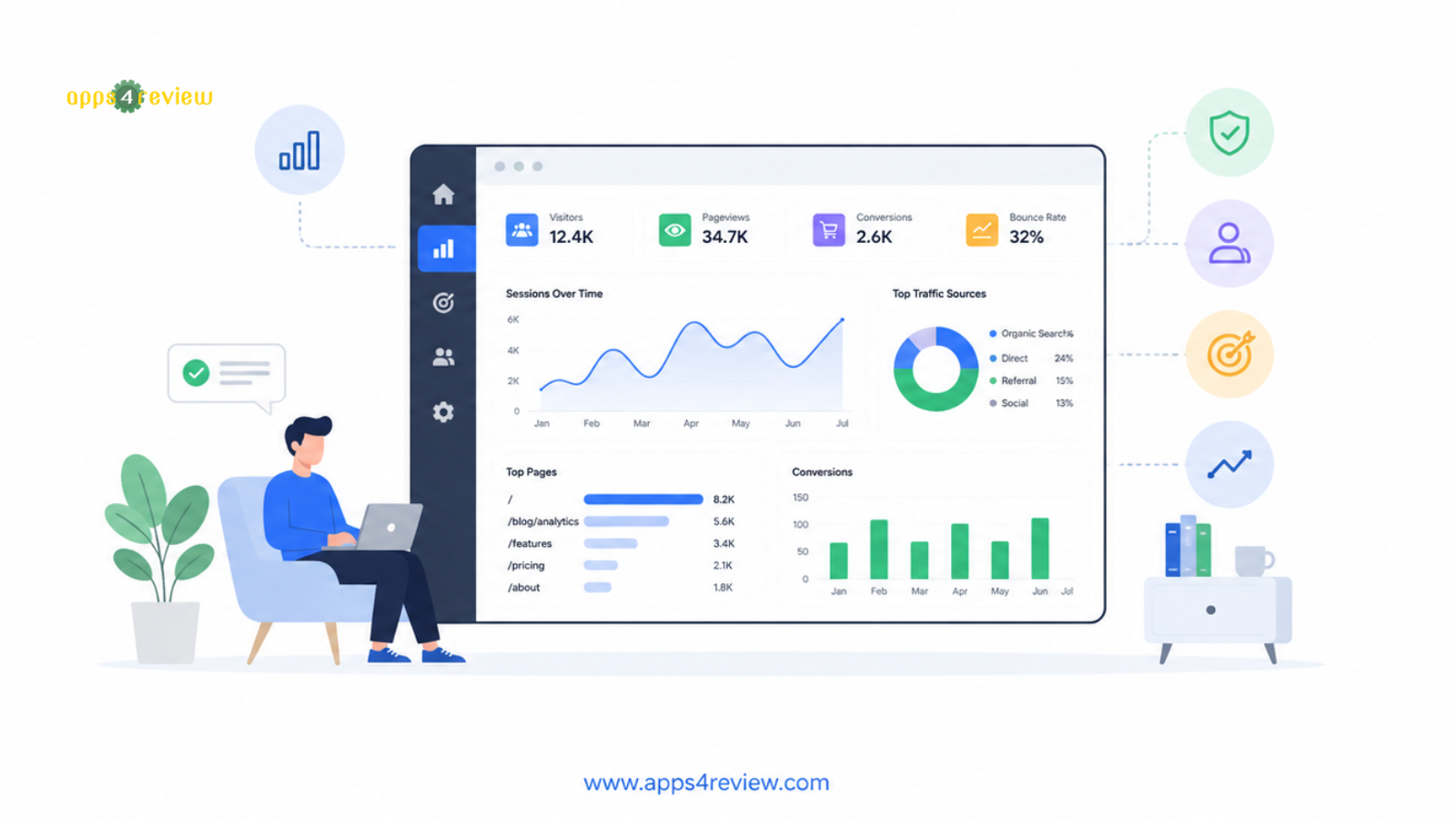
For eighteen months I stared at my Google Analytics dashboard every morning without being able to answer a single question my business actually needed answered: Which blog posts are converting visitors into customers? Which traffic source is sending people who actually buy? Where are visitors dropping off before checkout? The data was all there — buried inside a platform so complex I needed a YouTube tutorial to find my own homepage traffic. The best website analytics tools for small business should answer these questions in 30 seconds, not after two hours of building custom reports.
After running five analytics platforms simultaneously on real business websites over six months, I found the tools that actually help small businesses make faster, smarter decisions — and the ones that just look impressive in screenshots
The Problem With Most Analytics Tools
The website analytics tools for small business landscape splits into two extremes: enterprise platforms (powerful but overwhelming) and basic hit counters (simple but useless). The tools worth paying for in 2026 occupy the middle ground: they surface actionable insights without requiring data science expertise, respect visitor privacy, and give you the three numbers that actually matter — traffic, conversions, and the path between them
5 Best Website Analytics Tools for Small Business
1. Google Analytics 4 — The Free Powerhouse (With a Learning Curve)
Visit: Google Analytics 4
GA4 remains the most powerful free option among website analytics tools for small business — if you have time to master it. Its event-based model tracks every user interaction (scroll depth, video plays, form submits) automatically, and its integration with Google Ads and Google Search Console creates an unmatched paid-to-organic attribution picture.
Standout Features:
- Completely free with no traffic limits
- Predictive metrics (purchase probability, churn probability)
- Native Google Ads and Search Console integration
- Funnel analysis and path exploration
- Cross-device and cross-platform user tracking
Pricing: Free | GA4 360 (enterprise) custom pricing
Best For: Businesses running Google Ads, SEO-focused sites, teams with analytical capacity
Honest Warning: GA4’s interface requires significant investment to use effectively. If you cannot dedicate time to learning it, one of the alternatives below will serve you better
2. Plausible Analytics — Privacy-First Simplicity
Visit: Plausible Analytics
Plausible delivers a single-page dashboard with every metric a small business actually needs — visitors, pageviews, bounce rate, top pages, referrers, and conversions — without cookies, without GDPR consent banners, and without the complexity of GA4. Its script is 45× smaller than Google’s, meaning it has zero impact on your page speed scores.
Standout Features:
- No cookies, fully GDPR/CCPA compliant without consent banners
- Single-page dashboard — everything visible at once
- 45× smaller script than Google Analytics (faster pages)
- Revenue tracking and custom event goals
- Open source — self-host option available
Pricing: From $9/mo (up to 10,000 monthly pageviews) — scales with traffic
Best For: Privacy-conscious businesses, EU audiences, content sites wanting simplicity
3. Fathom Analytics — Simple, Fast, Compliant
Visit: Fathom Analytics
Fathom is the closest alternative to Plausible among website analytics tools for small business with one key advantage: EU isolation for data processing, making it the strongest choice for businesses with GDPR compliance obligations. Its dashboard is arguably cleaner than any competitor’s, and its uptime record (99.99%) means you never lose tracking data.
Standout Features:
- EU-isolated data processing for GDPR compliance
- No cookies, no consent banners required
- Email reports on custom schedules
- Custom events and conversion tracking
- Bypasses most ad blockers (more accurate data)
Pricing: $14/mo (100,000 pageviews) — scales up
Best For: European businesses, e-commerce, businesses needing accurate non-sampled data
4. Hotjar — Analytics Plus Behaviour Visualisation
Visit: Hotjar
Hotjar answers the question that traffic analytics cannot: why are visitors behaving the way they are? Its heatmaps show where people click, its session recordings show exactly where they get confused, and its on-page surveys capture the reason they leave before converting. Pair Hotjar with any traffic analytics tool for a complete picture of both what and why.
Standout Features:
- Heatmaps (click, scroll, move) for every page
- Session recordings with rage-click detection
- Conversion funnels with drop-off analysis
- On-page surveys triggered by behaviour
- Feedback widgets for always-on visitor input
Pricing: Free (35 daily sessions, basic heatmaps) | Plus $32/mo | Business $80/mo
Best For: Landing page optimisation, UX improvement, e-commerce conversion rate optimisation
5. Matomo — The Self-Hosted Privacy Alternative
Visit: Matomo
Matomo gives small businesses 100% data ownership — no third party ever sees your visitor data. Its feature set matches GA4 (heatmaps, funnels, eCommerce tracking, A/B testing) but you host it on your own server. For businesses in regulated industries (healthcare, legal, finance) where data residency is a compliance requirement, Matomo is the only viable among website analytics tools for small business.
Standout Features:
- 100% data ownership — no third-party data sharing
- Self-hosted (free) or cloud-hosted (paid)
- HIPAA, GDPR, CCPA compliant by architecture
- Heatmaps, session recordings, and A/B testing included
- Import historical Google Analytics data
Pricing: Free (self-hosted) | Cloud from $23/mo (50,000 hits)
Best For: Healthcare, legal, finance businesses; data sovereignty requirements
Which Analytics Platform Is Right for You?
- Google Ads integration + free: Google Analytics 4
- Privacy + simplicity: Plausible or Fathom
- Understanding visitor behaviour: Hotjar (pair with any above)
- Regulated industries / data sovereignty: Matomo
My Recommendation
Run Plausible or Fathom as your primary traffic analytics tool — you will check the dashboard daily because it is genuinely useful rather than intimidating. Add Hotjar’s free plan to any page with a conversion goal to understand the why behind your numbers. If you run Google Ads, keep GA4 connected purely for ad attribution; use it as a data pipe, not your daily dashboard.
Eighteen months of staring at a dashboard that I could not understand were eighteen months of guessing. The right website analytics tools for small business turn visitor data into decisions you can act on before your morning coffee goes cold. Explore more app comparisons at Apps4Review.
All platforms tested on live business websites over six months of parallel tracking by the Apps4Review team.