Loom helped popularize the idea that a quick screen recording with a webcam bubble often communicates something faster and more clearly than a long written message or a scheduled meeting, particularly for remote and hybrid teams working across different time zones. That async video messaging format proved genuinely useful enough that it’s since been copied by several free or bundled alternatives, from Slack’s own video messages to native screen recording tools on most operating systems, raising a fair question about whether Loom’s dedicated subscription still earns its cost in 2026 against increasingly capable free competition. This review looks specifically at where Loom’s original polish still genuinely holds an edge.
Recording Quality and Ease of Use
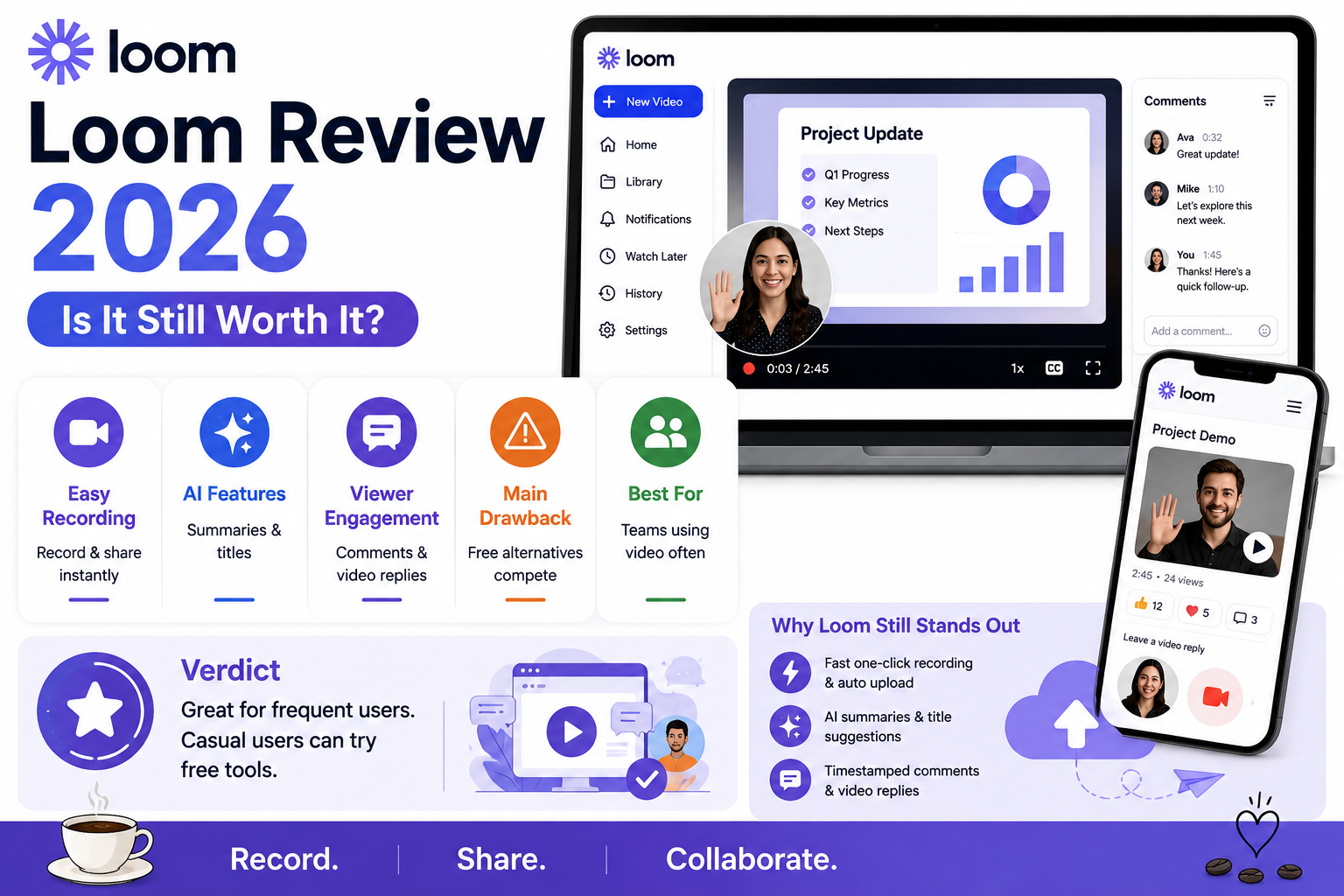
Loom’s recording experience remains genuinely smooth and reliable, with a simple one-click start and automatic upload that removes friction compared to manually recording and then separately uploading a video file elsewhere.
🔗 Download on Play Store www.loom.com
AI-Assisted Features
Loom’s AI features now include automatic video summaries and title suggestions, genuinely reducing the small overhead of writing context around a recorded video before sharing it with a colleague.
Viewer Engagement Tools
Loom’s viewer-facing features, like the ability to leave timestamped comments or record a video reply directly, support genuinely more interactive async conversation than a plain shared video file would allow on its own.
Where It Falls Short
Loom’s premium pricing has become genuinely harder to justify now that Slack, Microsoft Teams, and even native OS tools offer overlapping basic async video functionality for free or already bundled into an existing subscription.
Teams that specifically rely on async video communication as a core, frequent part of their workflow still get genuine value from Loom’s polished recording experience and viewer engagement features that free alternatives don’t fully replicate. Teams that only occasionally need to share a quick screen recording may find their existing Slack, Teams, or native OS tools sufficiently cover that occasional need without an additional subscription. It’s worth directly comparing Loom’s specific AI summary and comment features against whatever free tool a team already has access to, since the actual gap in capability has narrowed enough that the premium price increasingly needs to be justified by genuinely frequent, heavy usage rather than occasional convenience. Sales and customer support teams sending video messages to external clients regularly tend to see the clearest ongoing value from Loom’s polish and professional presentation. It’s worth checking whether Loom’s recordings integrate cleanly with any existing CRM or support ticketing system already in use, since that connected workflow often matters more than the recording feature itself in daily practice. It’s also worth checking storage limits on lower tiers before relying on Loom heavily, since video files accumulate storage usage far faster than typical documents or images do.
Loom’s core innovation, making async video communication genuinely fast and painless, has been widely copied enough that free alternatives now cover much of the basic use case adequately. For teams with genuinely frequent, heavy async video needs, especially client-facing ones, Loom in 2026 still earns its subscription, but occasional users should seriously test their existing free tools before assuming a dedicated subscription is necessary. A short two-week trial against actual daily work tends to answer that question far more honestly than reading any feature comparison alone, including this one, given how quickly free alternatives keep adding features that narrow Loom’s remaining advantage.