Canva built its reputation on a simple promise: you don’t need any design training to make something that looks genuinely professional. Years and countless well-funded competitors later, that promise mostly still holds up, but Canva in 2026 has grown into a much bigger product than the simple template editor it started out as, now folding in AI image generation, video editing, and a full brand kit system aimed squarely at small businesses and marketing teams rather than just casual social media users. The question worth asking at this point isn’t whether Canva is good, it clearly still is, judging by how many businesses run their entire visual content pipeline through it, but whether it’s still the sharpest choice available for the specific thing you personally need to design this week.
Templates and Ease of Use
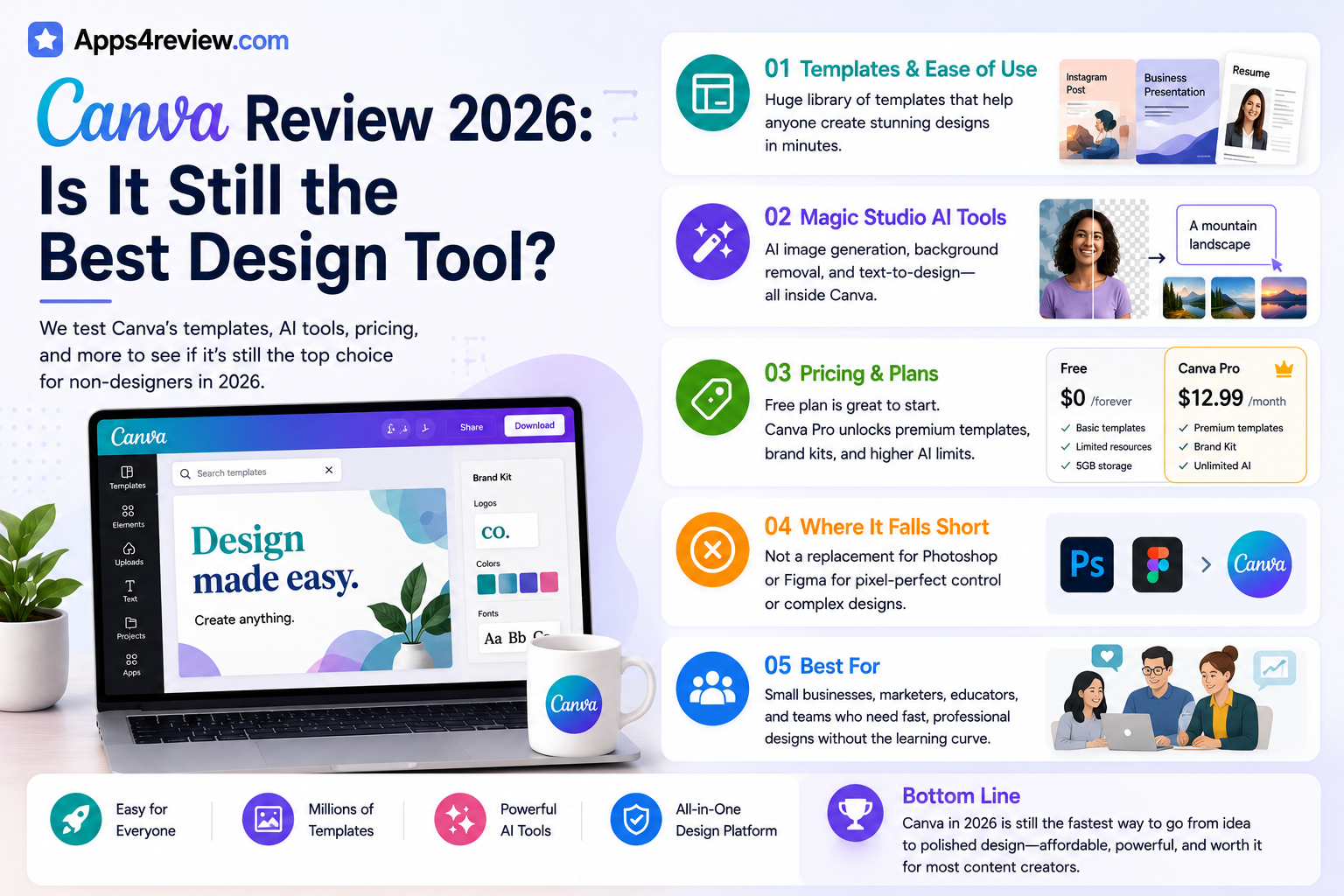
Canva’s core strength remains unchanged after all these years, its enormous, well-organized template library still lets a complete beginner produce a clean social post, resume, or presentation in minutes without ever touching a blank canvas or wrestling with layout decisions from scratch.
🔗 Download on Play Store | www.canva.com
Magic Studio AI Tools
Canva’s Magic Studio suite now handles background removal, AI image generation, and text-to-design prompts directly inside the editor, closing much of the gap that once existed between Canva and dedicated standalone AI design tools that require separate subscriptions.
Pricing and Plans
The free tier remains genuinely usable for casual users well beyond a basic trial period, while Canva Pro adds premium templates, brand kits, and noticeably higher AI generation limits at a price that still undercuts most professional design software subscriptions on the market.
Where It Falls Short
Canva still isn’t a real replacement for pixel-level control in tools like Photoshop or Figma when a project genuinely demands precision, and heavy AI feature use on the lower-tier plans can hit generation caps faster than casual users tend to expect going in.
Small business owners and social media managers tend to get the most value out of Canva specifically because it collapses several separate tools, a template library, stock photo access, basic video editing, and a brand kit, into one subscription rather than requiring several disconnected apps. Freelance designers and agencies working on client-facing brand identity or print work will still hit Canva’s limits faster, particularly around exact color matching and complex multi-layer compositions that dedicated tools handle more precisely. Teams collaborating across multiple people also benefit from Canva’s shared workspace and comment features, which remain more approachable for non-designers on a team than trying to onboard the same group into Figma. For anyone deciding purely based on price against a specific need, it’s worth trialing the free tier against an actual upcoming project first rather than assuming the paid tier is automatically necessary from day one. Watching a couple of Canva’s own tutorial videos for Magic Studio specifically is worthwhile too, since several of the newer AI features are easy to miss entirely if you’re only used to the older template-browsing workflow.
Canva earns its continued popularity fairly, it remains the fastest route from a blank page to a finished, presentable design for anyone who isn’t a formally trained designer. If your work genuinely needs precise vector control or advanced photo manipulation, it’s worth pairing it with a specialist tool for those specific tasks, but for the vast majority of everyday content needs, Canva in 2026 is still very much worth the subscription price.