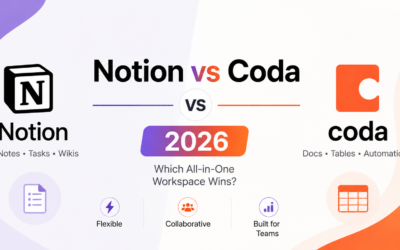
Notion has been the workspace tool of choice for teams and individuals who want flexibility above all else. In 2026, the AI layer added on top of Notion’s already powerful platform changes what it means to have a second brain. Rather than just storing information, Notion AI helps you process, summarise, and act on that information with minimal manual effort.
What Notion AI Can Do in 2026
- Summarise any page or database entry to a concise set of key points in seconds
- Answer questions about the content of your entire workspace – ask what was decided in last month’s meetings and get a synthesised answer
- Auto-generate action items from meeting notes – paste rough notes and receive a formatted task list
- Fill database properties using AI – describe what you want in each field and AI populates structured data
- Rewrite, extend, or change the tone of any selected text with context-aware suggestions
- Translate content across multiple languages directly within the editor
Testing AI Summarisation in a Real Workspace
The most immediately useful feature in daily use is page summarisation. In testing with a workspace containing over three hundred pages of project documentation, meeting notes, and research, Notion AI consistently produced accurate five to seven point summaries of complex pages in under ten seconds. The summaries identified the core conclusion or decision without requiring manual specification of what to prioritise.
The Q and A Feature – Genuinely Useful or Gimmick?
Asking questions about your entire workspace – rather than searching for specific documents – is either the most impressive or most frustrating feature depending on how well-structured your content is. In testing with a clearly organised workspace, the Q and A feature returned relevant answers with citations to source pages approximately seventy-five percent of the time. With unstructured content, accuracy dropped significantly. The lesson: Notion AI Q and A rewards users who already maintain clean, well-titled documentation.
Auto-Generated Action Items from Meeting Notes
This is the feature that has most visibly changed daily workflow for teams using Notion for meeting documentation. Paste rough notes or a voice transcript and ask Notion AI to extract action items. The output format – with clear owner suggestions based on names mentioned in the notes, and deadline language extracted from context – requires only light editing before being sent to a task tracker. For teams running three or more meetings per day, this feature alone can save thirty or more minutes daily.
Pricing – Is the AI Add-on Worth It?
Notion AI is available as an add-on at eight dollars per user per month across all Notion plans. For users who actively use the summarisation and action item features daily, the time savings significantly exceed the cost. For users who primarily use Notion as a personal note repository without team collaboration, the value case is weaker – the Q and A feature is most powerful with large collaborative workspaces rather than individual note collections.
How Notion AI Compares to Standalone AI Tools
The advantage of Notion AI over using a standalone AI tool like ChatGPT alongside Notion is context. Notion AI has direct access to your actual workspace content and can reference it without copy-paste. The disadvantage is that Notion AI is purpose-built for document and knowledge management tasks rather than the full range of tasks that general AI assistants handle. Many power users use both – Notion AI for workspace-specific tasks and a general AI tool for everything else.
Final Verdict
Notion AI in 2026 justifies its cost for teams using Notion actively for documentation, meeting management, and project tracking. The summarisation and action item generation features provide immediate, measurable time savings. The Q and A feature is impressive when content is well-organised and a reasonable starting point for exploration even when it is not.
Download Notion on the Play Store or App Store. Visit www.notion.so/product/ai to explore the AI features and pricing options in detail.