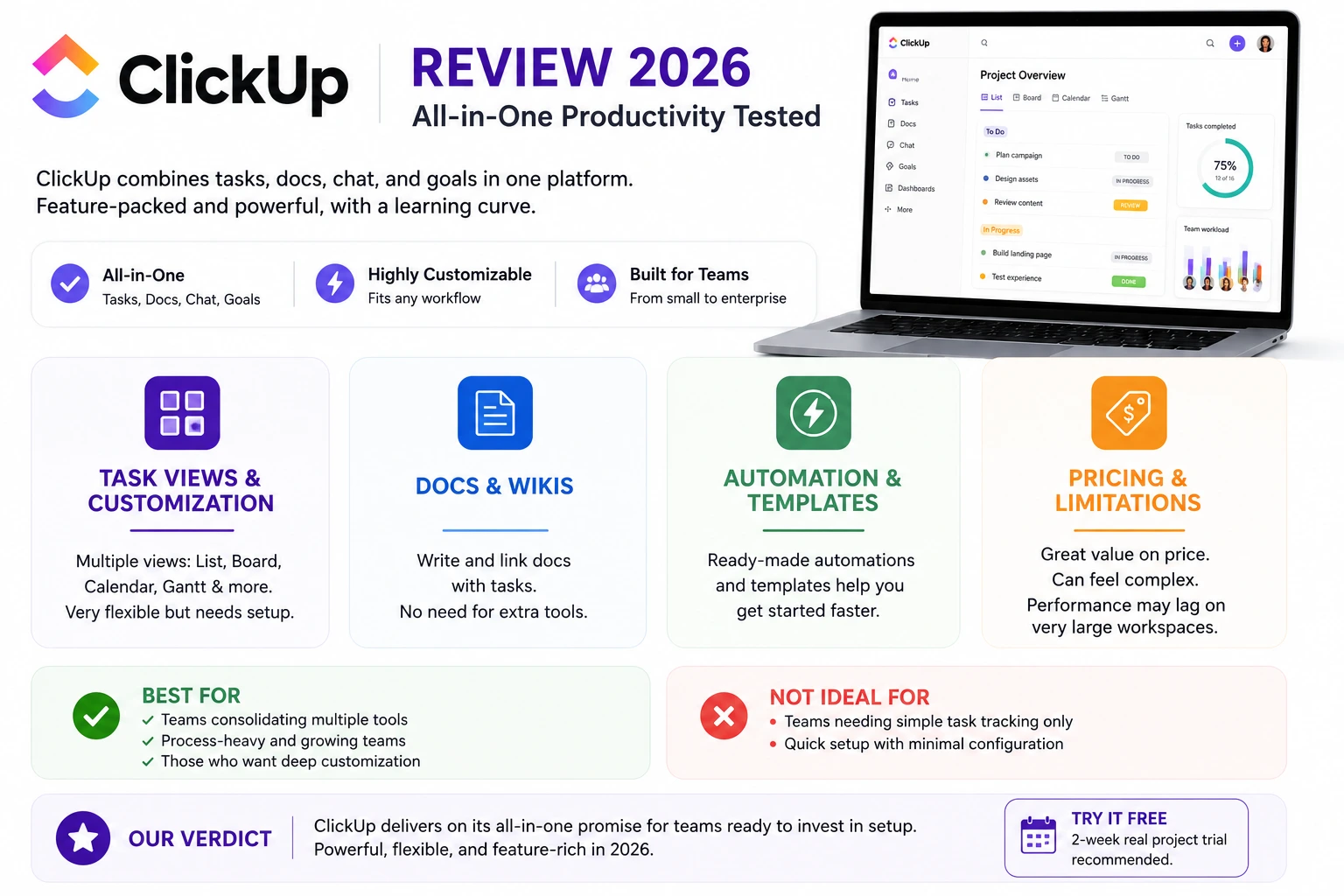
ClickUp built its reputation on an ambitious promise that few competitors have dared to make so directly, replacing tasks, docs, chat, and goal tracking all inside one single app rather than stitching together several separate subscriptions. That ambition has made ClickUp one of the most feature-dense project management tools on the market, but it’s also earned a reputation for a genuinely steep learning curve, since so much functionality packed into one interface can overwhelm a team that just wanted a simple task list. In 2026, ClickUp has worked hard on simplifying its onboarding without cutting features, and it’s worth checking whether that effort has actually paid off for teams considering the switch. This review walks through the core areas that matter most before deciding whether ClickUp’s ambition is worth the setup investment for your specific team.
Task Views and Customization
ClickUp offers an almost overwhelming number of ways to view the same tasks, list, board, calendar, Gantt, and more, giving teams genuine flexibility but requiring real upfront setup time to configure a workspace that doesn’t feel cluttered.
🔗 Download on Play Store | clickup.com
Docs and Wikis
ClickUp’s built-in docs feature lets teams write and link documentation directly alongside tasks, genuinely reducing the need for a separate Notion or Confluence subscription for teams willing to consolidate their workflow into one tool.
Automation and Templates
A large library of pre-built automation recipes and industry templates helps new teams get started faster than building workflows entirely from scratch, though customizing beyond the templates still requires a real time investment to learn properly.
Pricing and Where It Falls Short
ClickUp’s free and lower-paid tiers remain genuinely competitive on price, but the sheer feature density can overwhelm smaller teams that just wanted simple task tracking, and performance can lag on very large workspaces with thousands of tasks.
ClickUp earns its all-in-one reputation most clearly for teams genuinely willing to consolidate several existing tools into one subscription, since the combined savings on docs, chat, and task software can be significant compared to paying for each separately. Teams that just need straightforward task tracking without heavy customization will likely find simpler tools like Trello or Asana faster to onboard a whole team onto without a dedicated setup phase. Larger, more process-heavy organizations get the most value from ClickUp’s deep customization, since the upfront setup investment pays off more clearly at scale than it does for a five-person team. It’s worth dedicating a genuine week to configuration and team training before judging ClickUp on first impressions, since much of the negative feedback about complexity stems from skipping that setup phase entirely. Assigning one team member as the internal ClickUp champion during that setup window also tends to reduce the frustration of everyone learning the system independently at once.
ClickUp’s ambitious all-in-one promise mostly holds up for teams willing to invest real setup time upfront, delivering genuine consolidation savings and flexibility in return. For teams that just want something simple to start using today with zero configuration, a lighter tool will likely feel less overwhelming, but for teams ready to build a genuinely customized system, ClickUp in 2026 remains one of the strongest options available. Give the free tier a real two-week trial with an actual project rather than a test workspace before making a final call either way, since first impressions here tend to be misleadingly negative before the setup actually pays off.