Notion helped define an entire category of software, the flexible, block-based workspace that can be reshaped into a wiki, a task tracker, or a personal database depending entirely on how a user chooses to configure it. That flexibility earned Notion an intensely loyal following, but it’s also drawn genuine competition from tools built to be faster and more opinionated for specific use cases rather than infinitely customizable. In 2026, Notion has pushed hard into AI-assisted writing and database automation to keep pace, and it’s worth examining whether that investment has kept it ahead of the increasingly capable competition rather than just adding features for their own sake. This review looks specifically at whether Notion’s investment in AI has meaningfully closed the gap against faster, more opinionated newer competitors, or simply added complexity on top of an already dense feature set.
Flexible Databases and Blocks
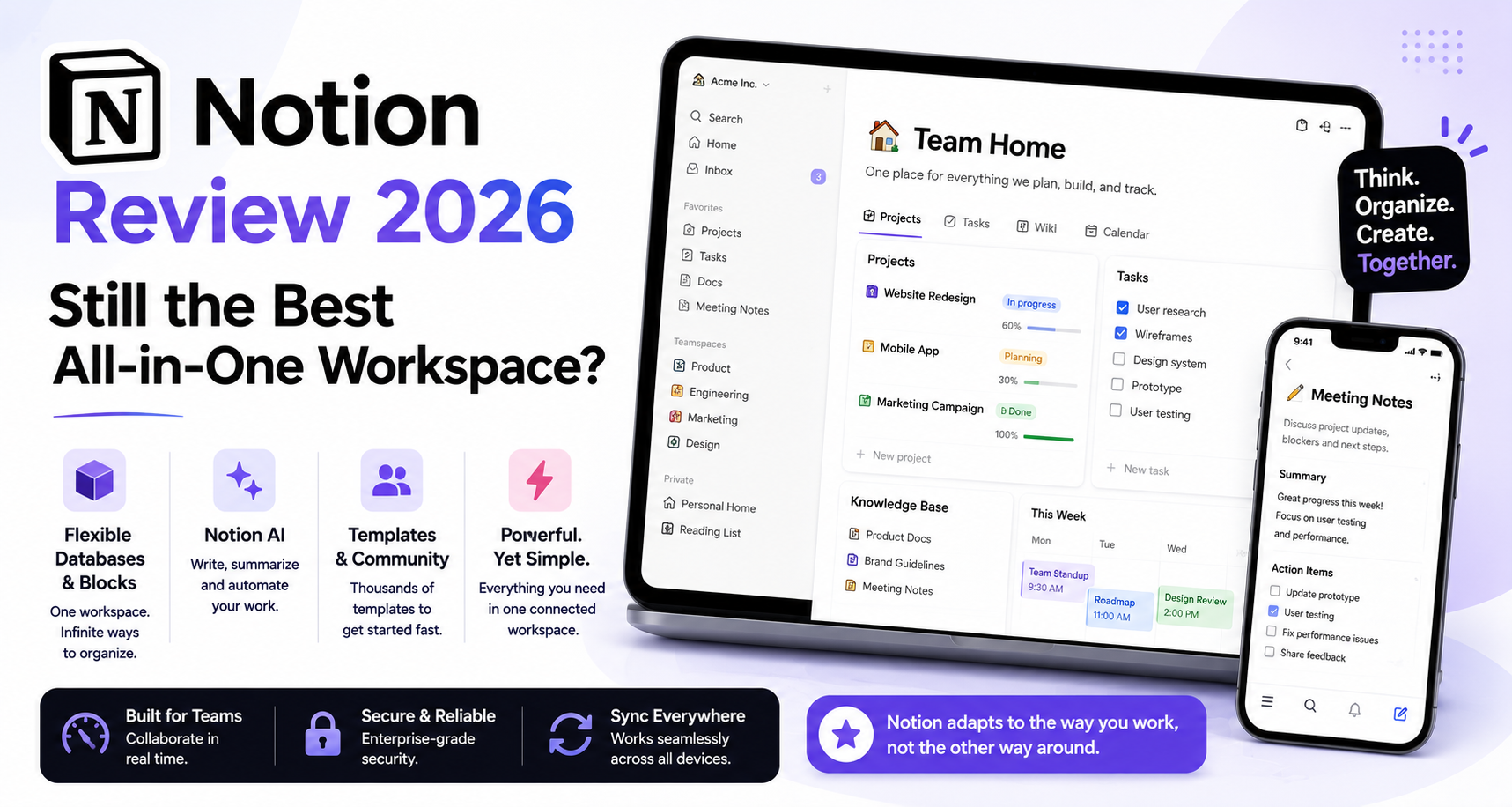
Notion’s core strength remains its block-based flexibility, letting the same underlying content display as a document, a table, a calendar, or a kanban board without duplicating data, a genuine differentiator competitors still haven’t fully matched.
🔗 Download on Play Store | www.notion.so
Notion AI
Notion AI now handles drafting, summarizing long pages, and auto-filling database properties based on page content, genuinely reducing manual data entry for teams maintaining large, detailed knowledge bases inside the platform.
Templates and Community
A massive community-driven template ecosystem lets new users start from a proven layout rather than building a workspace entirely from scratch, significantly lowering the barrier to Notion’s otherwise steep initial learning curve.
Where It Falls Short
Notion’s flexibility comes at a real performance cost on very large workspaces, with noticeable lag on pages containing thousands of database entries, and its infinite customizability can lead teams into over-engineering simple workflows that a more opinionated tool would handle more directly.
Teams and individuals who genuinely value customization over speed still get more long-term value from Notion than from a more rigid competitor, since the ability to reshape a workspace as needs change avoids the painful process of migrating to a new tool entirely later. Anyone managing a large personal knowledge base or a company wiki benefits significantly from Notion AI’s summarization and auto-fill features, which meaningfully reduce the maintenance burden that used to make large Notion workspaces feel unwieldy over time. Teams that just need a simple, fast task tracker without heavy customization will likely find a more opinionated tool feels less overwhelming to onboard a whole team onto quickly. It’s worth starting from a proven community template rather than a blank page, since Notion’s biggest onboarding hurdle has always been the intimidation of infinite possibility rather than any single feature being hard to use. Setting aside a genuine hour to explore a well-reviewed template before building anything custom tends to shortcut most of that early frustration.
Notion’s flexible, block-based approach still hasn’t been fully replicated by competitors years after popularizing the category, and its AI additions have kept it genuinely relevant rather than just adding surface-level features. For anyone who values a workspace that can grow and reshape itself alongside changing needs, Notion in 2026 remains a strong, if occasionally overwhelming, choice. Anyone evaluating a switch should try building one real workflow inside it rather than judging based on a browsed template alone before deciding either way, since a single afternoon spent this way reveals more than any comparison article possibly could.