Notion and Coda have spent years competing for the same basic pitch: replace a scattered mess of docs, spreadsheets, and project trackers with a single flexible workspace that can be shaped into whatever a team actually needs. Both platforms have matured significantly since their early days, and 2026 has brought a fresh round of AI features and database improvements to each that make the comparison more interesting than it’s been in a while. This review looks at where the two platforms genuinely differ today, in flexibility, database power, AI capability, and pricing, to help teams figure out which one actually fits the way they work rather than picking based on brand familiarity alone.
Flexibility and Learning Curve
Notion’s block-based editing system remains its biggest strength for teams that want to start simple and grow into more structure over time; a new user can create a basic page in seconds, while power users can build genuinely complex linked databases once they’re ready. Coda leans further into a spreadsheet-and-formula mindset from the outset, which gives it more raw computational power but comes with a noticeably steeper learning curve for teams that aren’t already comfortable thinking in formulas and cross-document references. Teams coming from a simpler note-taking or wiki background tend to find Notion’s gentler on-ramp easier to adopt broadly, while teams with an operations or technical background often prefer Coda’s more powerful, spreadsheet-native building blocks from day one.
Database and Automation Power
Coda’s underlying formula language is genuinely more powerful than Notion’s for complex, interconnected logic, letting users build sophisticated calculations and automations that reference data across multiple tables in ways that still feel closer to a programming environment than a typical productivity tool. Notion’s database relations and rollups cover the majority of common team needs, linking projects to tasks to people, but hit a ceiling faster for teams trying to build genuinely complex internal tools or calculators. Both platforms now offer visual automation builders that don’t require code, though Coda’s Packs system, which connects to external services and extends what a formula can pull in or trigger, remains a meaningful differentiator for teams that want their workspace to actively interact with other tools rather than just document information about them.
AI Features
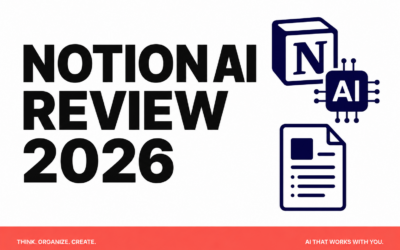
Notion AI has become deeply woven into the writing and database experience, capable of drafting content directly in a page, summarizing long documents, and answering questions grounded in a team’s own Notion content with citations back to the source pages. Coda AI focuses more heavily on formula generation and data transformation, helping users write complex formulas from a plain-language description or clean and restructure messy imported data, which plays directly to Coda’s strength as a more computational tool. Neither platform’s AI implementation is dramatically ahead of the other in raw capability, but each is clearly tuned toward what that platform is already best at: Notion toward writing and knowledge retrieval, Coda toward formulas and structured data manipulation.
Pricing and Team Fit
Notion’s pricing tends to be somewhat more approachable for small teams and individuals, with a genuinely usable free tier and reasonably priced paid plans that scale predictably as a team grows. Coda’s pricing has historically leaned toward doc makers, charging based on who’s actively editing and building rather than every seat, which can work out favorably for teams with a small number of power users supporting many read-only viewers, but less favorably for teams where most members need active editing access. Larger organizations building genuinely complex internal tools, project trackers with heavy cross-referencing, or lightweight internal apps tend to find Coda’s extra computational headroom worth the steeper learning curve, while most smaller teams and individual users are better served by Notion’s gentler onboarding and broader everyday usability.
Neither platform has definitively closed the gap on the other in 2026; they’ve simply continued sharpening their existing strengths rather than converging into the same product. Teams whose primary need is a shared knowledge base, documentation hub, or lightweight project tracker will almost always find Notion faster to adopt and easier to keep everyone using consistently. Teams that need to build genuinely complex internal tools, calculators, or automations that go beyond simple task tracking, and who have at least one person comfortable thinking in spreadsheet-style formulas, will likely get more long-term value out of Coda’s additional computational depth, even accounting for the steeper ramp-up time.
Conclusion
Notion and Coda both remain excellent all-in-one workspace platforms in 2026, and the right choice really does come down to what a team is trying to build rather than one platform being objectively better than the other. For most teams prioritizing ease of adoption and a clean knowledge base, Notion remains the safer default, while teams with more ambitious internal tooling needs and the appetite to learn a more powerful formula system should give Coda a serious look before defaulting to the more familiar name.