When people say Canva, they typically picture social media graphics – Instagram posts, presentation slides, and quick marketing materials made by non-designers. That description was accurate in 2021. In 2026, Canva has become something significantly broader and more capable, and evaluating it purely through the lens of graphic design misses most of what the platform actually does. This review examines the full scope of what Canva offers as a web application in 2026 and whether it genuinely earns its place in the professional toolkit.
The Design Foundation – Still Excellent
The original core of Canva – drag-and-drop design across a massive template library – remains excellent and has continued improving. The template library now exceeds one million designs across every format imaginable, from business card to billboard. The element library, the font selection, and the royalty-free photo and illustration library that comes with Canva Free are all comprehensively useful without any paid upgrade.
The design editor itself has received meaningful improvements in 2026. Multi-page design workflows are smoother, the collaboration cursor visibility when multiple team members are editing simultaneously has been refined, and the export options now include additional formats including MP4, GIF, and PDF with configurable quality settings for each.
Dream Lab – AI Image Generation That Changes What Is Possible
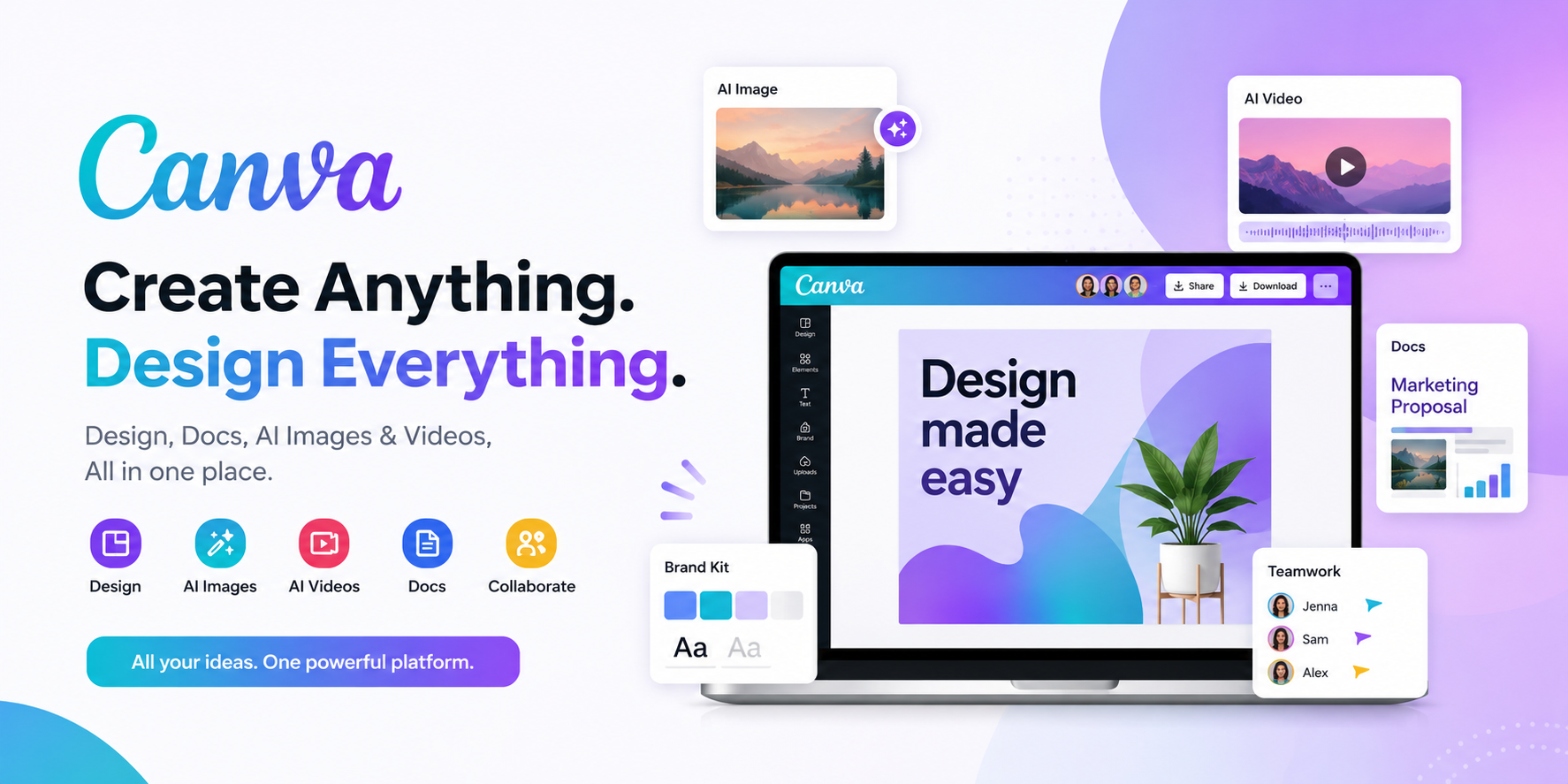
Dream Lab is the most significant addition to Canva in 2026 and represents a genuine shift in what the platform can produce. Type a description – a flat illustration of a mountain landscape at sunset in a muted pastel palette – and Dream Lab generates a custom image matching the description within seconds. The image can then be used directly in any Canva design without any export or import steps.
The quality of Dream Lab outputs in 2026 has reached a level where they are genuinely useful for professional purposes rather than just impressive as demonstrations. For users who previously had to purchase stock photography or commission custom illustrations, Dream Lab provides a cost-effective alternative for many use cases. The style control options – photograph, illustration, sketch, watercolour, and others – give sufficient creative direction to produce outputs that fit specific brand aesthetics rather than generic AI default looks.
AI Video Generation – Most Impressive New Feature
The AI Video Generator takes a script and converts it into a short video with stock footage, transitions, and automatically matched background music. For social media teams producing regular short-form video content, this feature compresses the production time for simple informational or promotional videos by a significant margin. The output quality is appropriate for social media distribution though not broadcast quality.
The feature is most useful for templated video formats – product announcements, event promotions, educational content – where the structure is predictable and the content needs to be produced at high volume. Creative video projects that require distinctive storytelling benefit more from traditional editing tools, but for volume content production, the AI video generator is genuinely productive.
Canva Documents – A Notion Competitor?
Canva Docs allows creating documents with embedded graphics, charts, and Canva design elements in a web-based editor that several observers have compared to Notion. The comparison is reasonable but the positioning is different – Canva Docs excels when the document is intended to be visually polished and presentation-ready, while Notion excels as a living knowledge management system with database capabilities.
For company reports, proposals, case studies, and documents that need to look professional without a dedicated designer producing them, Canva Docs in 2026 genuinely delivers. The integration with the rest of the Canva design library means charts, graphics, and brand-consistent visual elements can be dropped into documents without switching contexts.
Collaboration in 2026
Multi-user real-time editing in Canva has matured significantly. Up to thirty team members can edit a design simultaneously with visible cursor presence and live updates. Comment threads can be attached to specific design elements, making design review conversations contextual and searchable rather than requiring separate email or Slack threads.
The Brand Kit feature, available on Pro and Teams plans, stores your organisation’s fonts, colour palette, and logo files centrally. Every team member creating a design automatically has access to brand assets, which dramatically reduces the inconsistency that plagues organisations where brand guidelines exist but are not systematically enforced.
Canva Free vs Canva Pro – The Honest Assessment
Canva Free is genuinely useful at no cost – a statement that cannot be made about every freemium design tool. The core design editor, millions of templates, the basic element library, and limited Dream Lab AI credits all work without spending anything. For occasional personal or small business use, Free may be sufficient indefinitely.
Canva Pro at fifteen dollars per month adds the full Brand Kit, one hundred gigabytes of storage, unlimited premium templates, the background remover, unlimited AI credits across all generation tools, and the full collaboration feature set for teams. For professionals producing design content regularly, the Pro subscription typically pays for itself in a combination of saved time and reduced costs for stock images and custom design work.
The Web App Experience Specifically
As a web application, Canva loads quickly in all major browsers, auto-saves work continuously, and provides full access to every feature without any download or installation. The performance on lower-spec computers has improved noticeably in 2026 – designs with many elements no longer cause the editor to lag on modest hardware. Browser extension support for grabbing images and content from other websites directly into designs works cleanly.
Final Verdict
Canva 2026 is genuinely more than a design tool. The AI image and video generation, collaborative documents, and expanded creative capabilities make it a broader creative platform that competes in adjacent categories beyond its original graphic design focus. For the core use case of accessible, collaborative visual design, it remains the best tool available. For the expanded capabilities, they are consistently good rather than exceptional – Canva is the best all-rounder rather than the specialist leader in any individual category beyond the original design use case.
Access the full web app at www.canva.com. Download the mobile app on the Play Store or App Store.