Task management apps come and go with flashy new features every year, but Todoist has built its reputation on staying reliably simple while everything around it gets more complicated. In a category full of tools trying to become all-in-one workspaces, Todoist has mostly resisted the urge to bolt on unnecessary features, focusing instead on making the core experience of capturing and completing tasks as fast as possible. That restraint has earned it a loyal following among people who’ve tried and abandoned flashier competitors that demanded too much setup before delivering any real value. We used it daily across both personal and work tasks for several weeks to see if that philosophy still holds up in 2026.
Natural Language Input
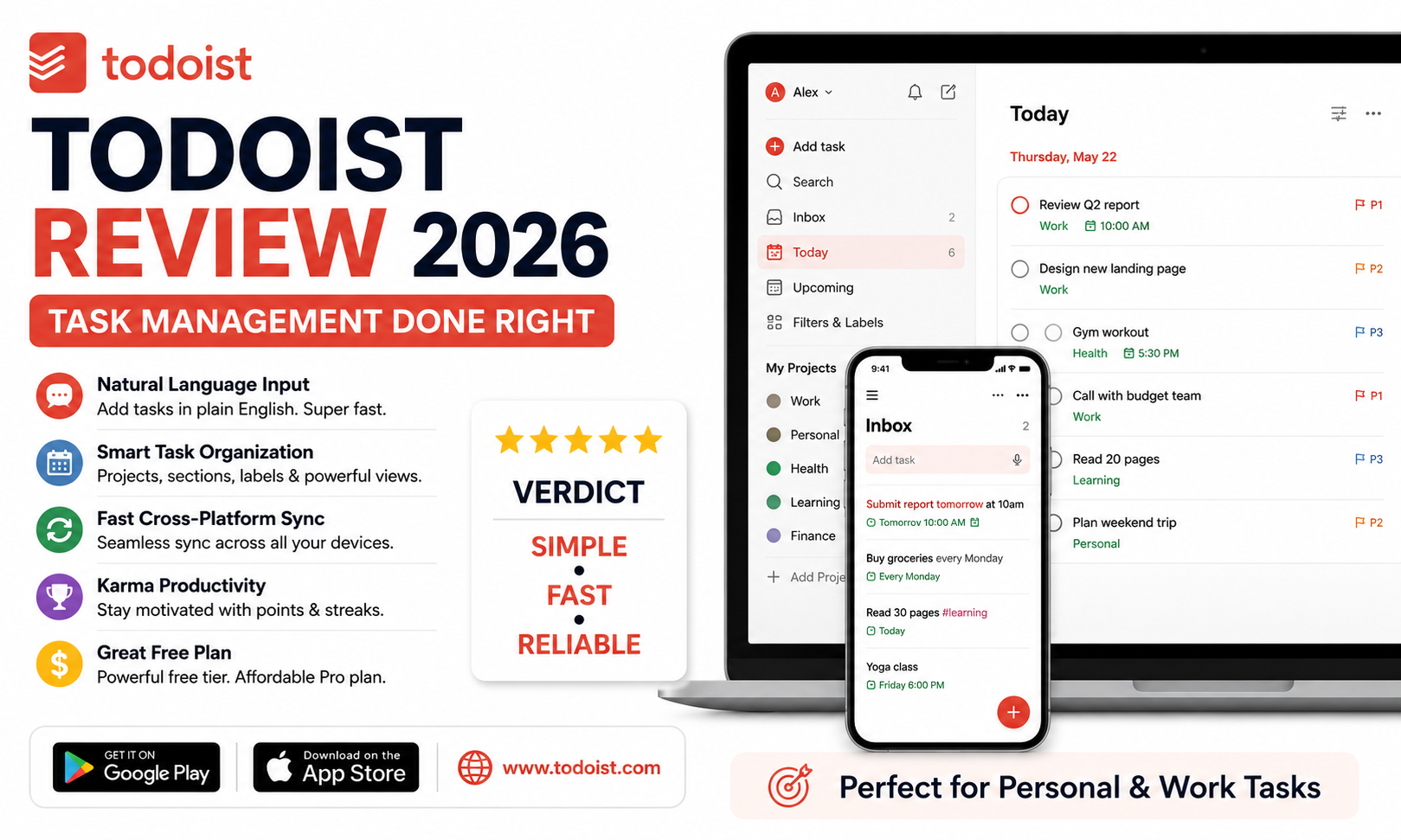
Todoist’s natural language processing remains one of the best in the category, correctly parsing dates, recurring schedules, and even priority levels from a single typed sentence without needing to fill out separate fields. It’s the single feature that makes Todoist feel noticeably faster to use than most competitors day to day.
Organization and Views
Projects, sections, and labels give Todoist enough structure for genuinely complex task lists without feeling as heavy as a full project management tool. The Today and Upcoming views strike a good balance between showing enough context and avoiding the overwhelming clutter some competing apps default to.
Cross-Platform Sync
Sync speed and reliability across devices has remained consistently solid throughout our testing, with tasks added on mobile appearing on desktop essentially instantly. This matters more than it sounds for a tool people rely on to capture thoughts the moment they occur, regardless of which device is in hand.
Karma and Productivity Tracking
Todoist’s Karma system gamifies task completion with points and streaks, which some users find genuinely motivating and others find unnecessary, but it’s easy enough to ignore entirely if gamification isn’t your style.
Pricing and Free Tier
The free tier remains genuinely usable for individuals with straightforward task lists, while the Pro plan unlocks reminders, more projects, and productivity trends at a price that stays reasonable compared to more feature-bloated competitors charging significantly more for similar core functionality.
🔗 Download on Play Store | Get it on App Store | www.todoist.com
Where It Falls Short
Todoist’s biggest limitation is also its biggest strength depending on your needs, it deliberately avoids becoming a full project management or note-taking tool, which means teams needing kanban boards, detailed reporting, or document collaboration will eventually outgrow it. Collaboration features exist but remain fairly basic compared to dedicated team tools, making Todoist a better fit for individuals and small teams than larger organizations with complex cross-department workflows. If your task list genuinely needs Gantt charts or resource allocation, Todoist isn’t trying to be that tool, and it shouldn’t be forced into that role.
Todoist earns its long-standing reputation by doing one thing extremely well rather than chasing every feature request that comes its way, and for most individuals managing personal and work tasks, that focus is exactly what makes it stick where flashier apps get abandoned within a few weeks. If you’ve bounced between task apps before without anything sticking, Todoist’s simplicity is worth trying specifically because it doesn’t ask much of you to get started. Give it two full weeks of genuine daily use before deciding, most of its value only becomes obvious once your recurring tasks and projects are actually set up properly and running on autopilot.